Keep records · 6 min read
Record attendance
Track days or hours for the family together or for individual students.
Open this area in Commonplace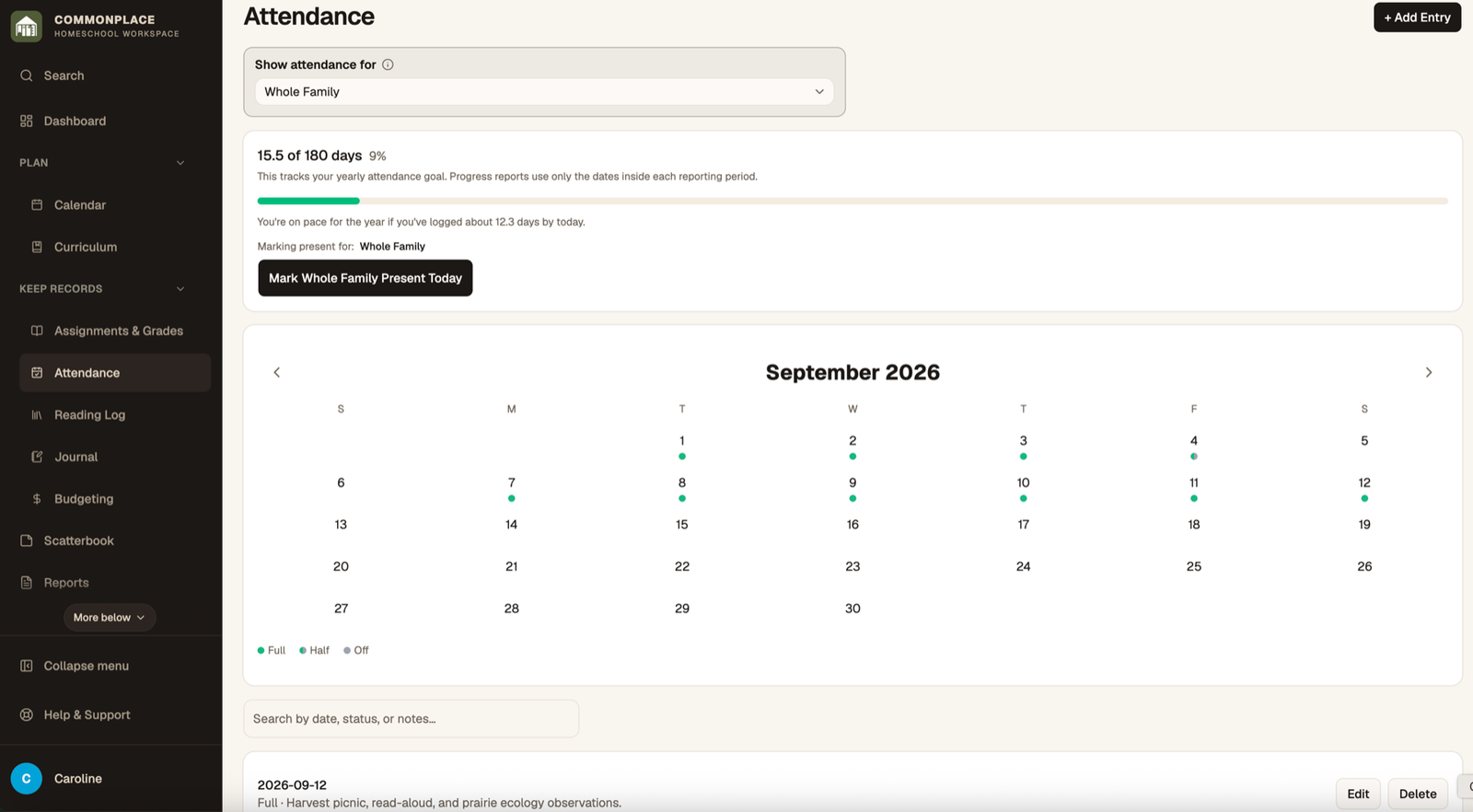
Attendance is organized by school year and can be recorded for the whole family or separately for each student. Choose the approach that matches your actual record-keeping needs.
- 1
Choose a school year
Select the year whose attendance you want to view. The calendar and progress totals update together.
- 2
Choose the attendance scope
View the whole family or one student. Entries you add or edit apply to the scope currently shown.
- 3
Mark today quickly
Use Mark Present Today for a fast full-day entry, then edit the entry if you need hours, half-day status, or a note.
- 4
Add a past or detailed entry
Select a date and status. Add total hours, core hours, and notes when those details matter for your records.
- 5
Review progress
Use the calendar and summary card to see recorded days or hours and progress toward the selected school-year goal.
- 6
Print an attendance report
Open Reports, select Attendance, choose the student, year, and optional date range, then generate the record.