Keep records · 6 min read
Journal the year and build portfolios
Capture short dated memories and collect selected learning records into a portfolio.
Open this area in Commonplace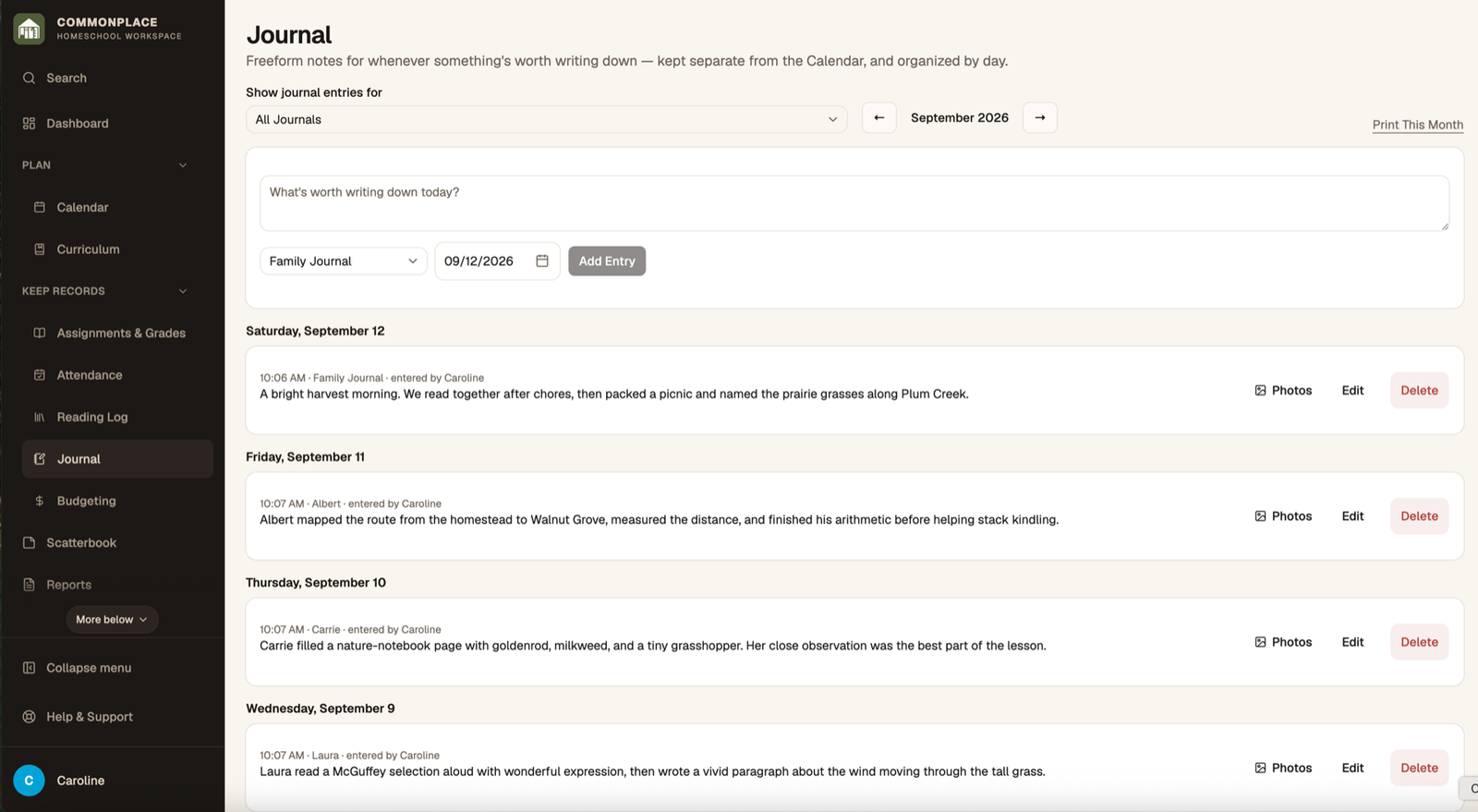
The journal is designed for quick dated notes and photos. Portfolio records can also come from calendar activities, reading, assignments, and uploaded documents.
- 1
Choose whose journal to view
Select the whole family or a student, then move to the month you want.
- 2
Add a dated entry
Write a short note about learning, a milestone, a field trip, or something worth remembering.
- 3
Attach photos
Add up to five photos when they help preserve the moment or document the work.
- 4
Review or print a month
Browse entries by day and use Print this month when you want a paper or PDF copy.
- 5
Include structured records in portfolios
When adding supported calendar events, books, assignments, or other records, select the portfolio option and attach useful work samples.
- 6
Generate a portfolio
Open Reports, choose Portfolios, select the student and period, review the included material, and create the final document.