Getting started · 4 min read
Welcome to Commonplace
A quick orientation to the workspace and the simplest path to a useful first day.
Open this area in Commonplace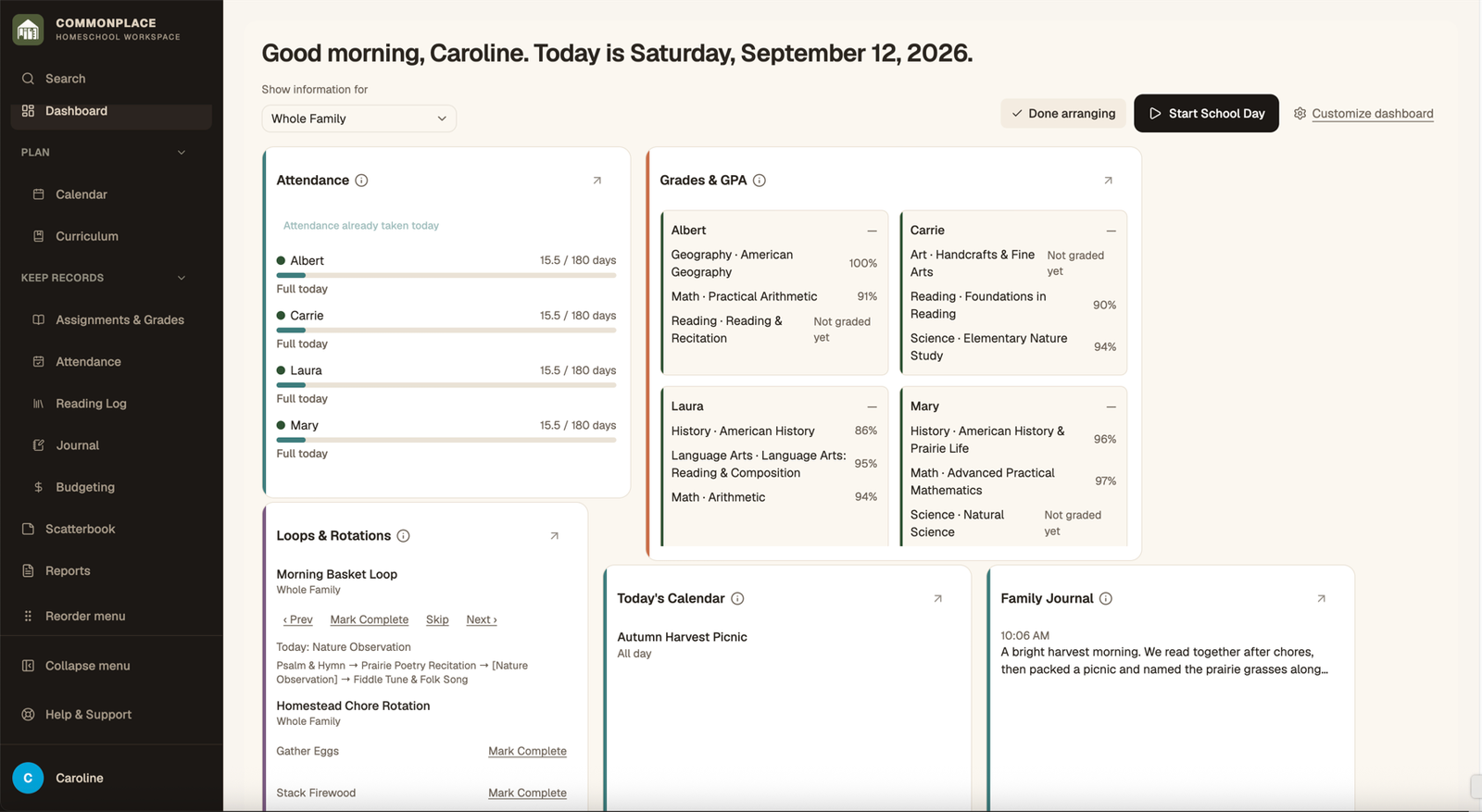
Commonplace keeps your homeschool plan and the record of what actually happened in one connected workspace. You can start small: add a student and school year, then turn on only the modules your family needs.
- 1
Complete Homeschool Setup
Add your family name, students, school year, and subjects. Those details become shared building blocks for attendance, courses, curriculum, and reports.
- 2
Choose a place to begin
Most families start with Calendar, Attendance, Curriculum, or Assignments & Grades. You do not need to configure every module before using Commonplace.
- 3
Use the dashboard as home base
The dashboard brings together today’s schedule, checklist, active loop, recent reading, attendance, and other sections you choose.
- 4
Adjust the workspace
Open Customize dashboard to choose, move, or resize dashboard sections. Use your account menu to open Homeschool Setup and other family settings.