Keep records · 6 min read
Track the homeschool budget
Set goals, organize spending categories, and record purchases by year and student.
Open this area in Commonplace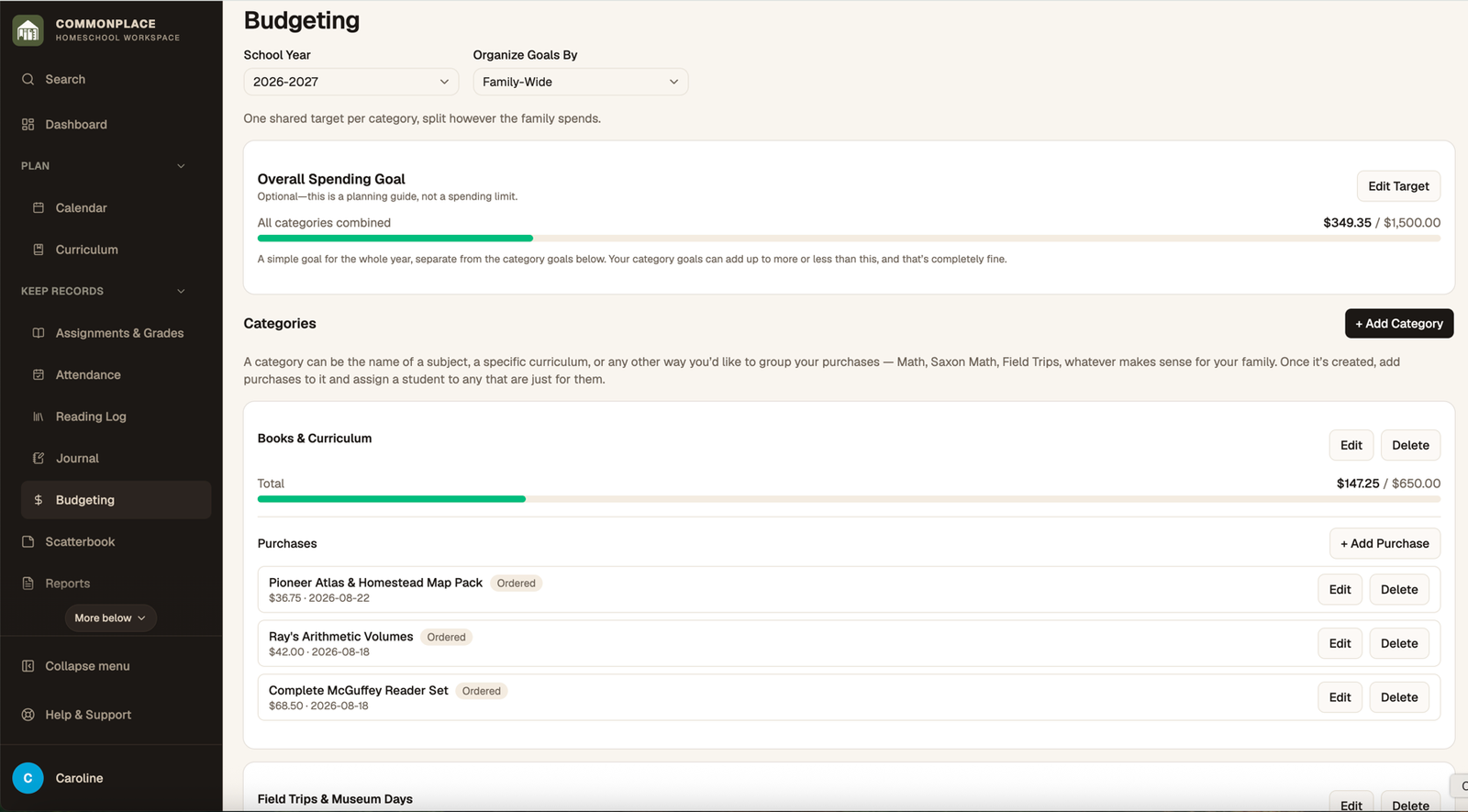
Budgeting keeps purchases separate from academic records. Buying a resource does not automatically add it to Curriculum, which lets your spending history remain accurate even when plans change.
- 1
Choose a school year
Select the year whose budget you want to manage.
- 2
Choose how goals are organized
Use a family-wide approach or divide goals by student, depending on how you plan spending.
- 3
Set an overall goal
Enter the total amount you hope to stay within. This is a planning target rather than an accounting restriction.
- 4
Add categories
Create categories such as Curriculum, Field Trips, Art Supplies, or Co-op Fees and optionally assign each a target.
- 5
Record purchases
Add the description, cost, student or Shared/Family scope, date, link, order status, and notes.
- 6
Review progress
Compare actual spending with the overall and category targets. Change the organization mode when your planning needs change.